-

Class 42 IP(Intellectual Property) Rights have been submitted to USPTO (United States Patent and Trademark Office) and is currently in a Pending state.
Class 42 IP Rights primarily safeguards the CHILL GUY name and Character in regards to computer services, namely, the creating of an online community, forming a virtual community, and engaging in social networking services in the field of cryptocurrency, blockchain, memecoins, and memes.
This legal protection creates a safety umbrella around the CHILL GUY ecosystem, allowing the project to thrive, now, and well into the future and has already been leveraged. We were added to CoinMarketCap’s ‘IP MEMES‘ category, after presenting them with the Class 42 IP Rights/Trademark. For all the Filing information please go to this ‘USPTO link‘
TOKENOMICS
CHILL GUYCirculating, Total & Max Supply: 1,000,000,000TAXES0%LIQUIDITYBURNEDDONATIONVitalik has been given 1% of CHILL GUY supply, see wallet address:
0xd8dA6BF26964aF9D7eEd9e03E53415D37aA96045 (vitalik.eth)MARKETING WALLETPlease see the holders information on Etherscan:
0x664E5125aaD3e4f2CCEC50c5a41B12618A41b8aF (chillguycto.eth)HOW TO BUY GUIDE
Different buying options have been added to cover both mobile applications and a desktop/laptop option, as holders may have different preferences. Additionally, some options might only be available in certain countries.
OPTION 1: MOBILE APP ‘UNISWAP: CRYPTO & NFT WALLET’
Download Uniswap App, Install & Create a New Wallet
- Go to the App Store and search for Uniswap application ‘UNISWAP: CRYPTO & NFT WALLET’ and download and install it.
- Open the Uniswap App
- Select ‘Create a wallet’
- Create a username and click ‘Continue’
- Add a Profile Picture and click ‘Continue’
- If you would like notifications, ‘Enable’ them
- If you would like to protect your wallet with Biometrics, click ‘Enable biometrics’
- The wallet now needs funding with ETH(Ethereum), so click on Ethereum and select ‘Buy’, enter an amount and select ‘Continue’ and follow the prompts to fund the wallet with ETH(Ethereum)
- Once your wallet has ETH in it, enter ‘Chillguy’ in the ‘Search’ field and select ‘Just a chill guy ETH’, noting the wallet address below should end in ’88ef’ and select ‘Get CHILLGUY’ and complete the process to swap Ethereum for CHILL GUY on ETH
HOW TO BUY GUIDE OPTION 2: USING A PC/LAPTOP BROWSER
Download Metamask Wallet, Install & Create a New Wallet
- Go to the MetaMask website at the link below.
- Click ‘Get MetaMask’and then add the MetaMask browser extension.
- Click ‘Get Started’ and agree the Terms of Use
- Click ‘Create a new wallet’ and enter a new password. Ensure you save your password securely for future use and click ‘Create password’
- Click ‘Get started’ to save your Secret Recovery Phrase and Click ‘Tap to reveal’ and note down the recovery phrase in order. Ensure you save your recovery phrase securely for future use
- Click ‘Continue’ and you will be prompted to enter some of the secret phrase for confirmation you have written it down in the correct order. Then click ‘Continue’ and the new wallet is created
- Click through the remaining options as you see fit, and select ‘Done’
- You should now be prompted to login to your MetaMask Wallet, so login
- To fund your wallet with Ethereum select ‘Buy/Sell’ and select ‘Connect wallet’, and then ‘Connect’. Then ensure ‘Buy’ is selected, and ensure ‘Ethereum(Ethereum Mainnet) is selected , enter an amount, and select ‘See more quotes’ to choose the on ramp provider to use, and follow the process to complete the Ethereum Buy. It will take a little time to go through this process but once completed your wallet will be funded with Ethereum, and now you are able to follow the next process to connect to UNISWAP, in the next set of steps below
Connect MetaMask to Uniswap
- Go to the Uniswap website at the link below, which is already set to sell ETH and buy CHILL GUY.
- Click ‘Connect’ and select MetaMask and enter your password. Select ‘Connect’ and your wallet should be shown on the right, click on it to expand.
- In the ‘Sell’ box decide how much ETH to swap for ‘Just a chill guy’. You can enter any amount you choose, such as 0.01, 0.1, 0.5 or much higher.
- Once you have entered the amount, click ‘Review’, and check the amount you’re swapping, and the cost of the transaction, and if happy click ‘Swap’, and wait for the transaction to go through, which can take a little time.
- Check in your wallet in Uniswap that the purchase has been made and you can see the Ethereum CHILL GUY tokens. Once happy that you’re finished select the switch icon top right and select ‘Disconnect’.
- Now in your browser select Extensions then MetaMask and select tokens. Go to ‘Import Tokens’ and enter chillguy and select ‘just a chill guy ETH’ and ‘Next’ to import. Once imported you should see the amount of CHILL GUY tokens bought.
GALLERY
JUST A CHILL GUY
CHILL GUY
 CHILL GUY
 CHILL GUY
CHILL GUY
CHILL GUY
ABOUT
CHILL GUY
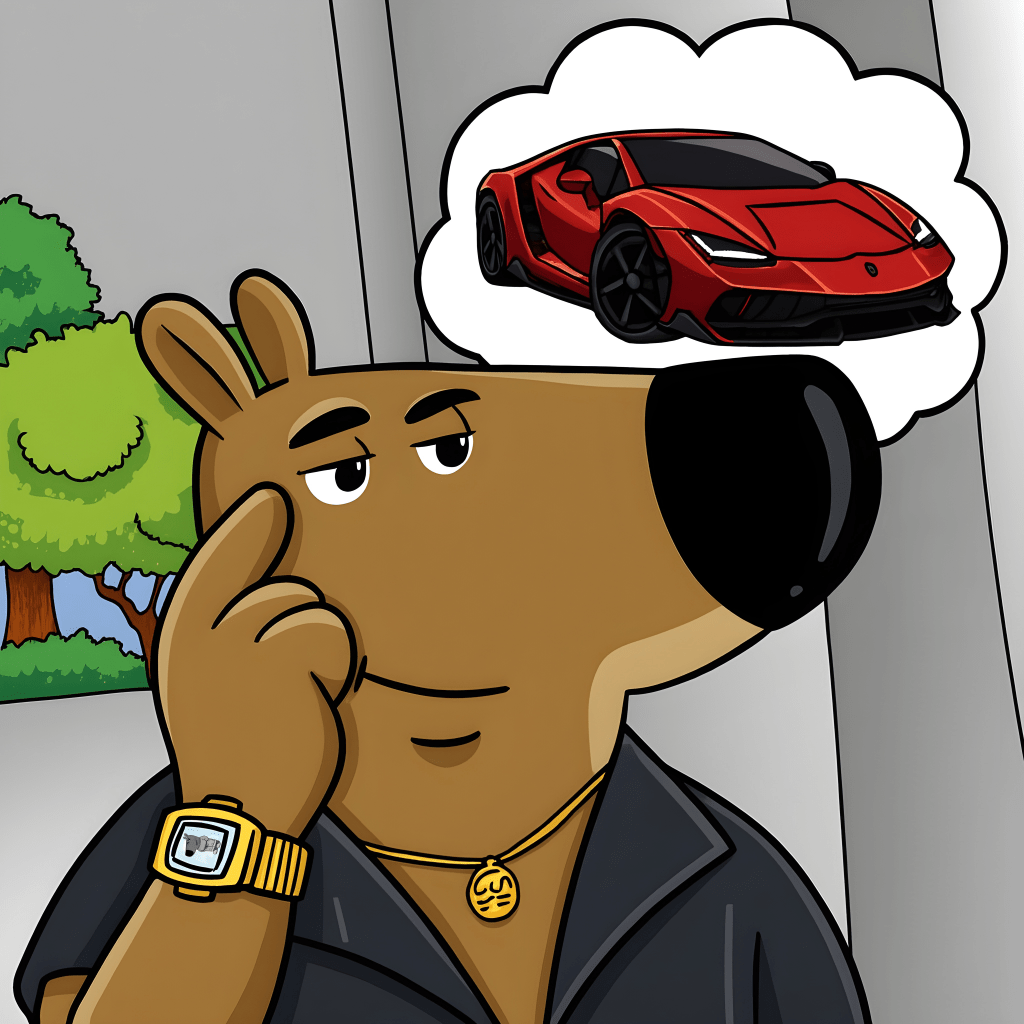
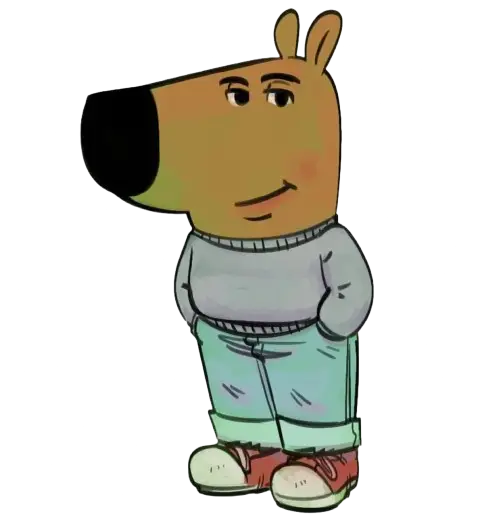
“CHILL GUY” is a digital artwork and viral internet meme of an anthropomorphic dog, wearing a grey sweater, blue jeans, and red sneakers, giving off a “chill” expression by smirking with his hands in his pockets.
CHILL GUY became viral on the 30th of August 2024, when a user on TikTok made a slideshow, incorporating the CHILL GUY character. The artwork became viral a second time, on the 21st November 2024, again on TikTok, but also on other social media sites, spawning a meme coin on Solana and Ethereum.
The projects are run by different teams and are unrelated, apart from sharing the CHILL GUY name and character. The Ethereum CHILL GUY community extends its best wishes to all CHILL GUY ecosystems.
CHILL GUY community services are provided on-line via our official Telegram group and X feed,
creating an on-line community for members to participate in discussions, share memes, and engage
in social networking about cryptocurrency, blockchain, memecoins, and memes.
Our Telegram group serves as the main community hub — the central point of access for real-time social interaction,
sharing memes in the official CHILL GUY Memes Channel, and receiving the latest updates through pinned messages.
Please join us on
 TELEGRAM
(our primary community platform) for news, updates, and community highlights across the blockchain space,
and also follow
TELEGRAM
(our primary community platform) for news, updates, and community highlights across the blockchain space,
and also follow

For CHILL GUY community support, contact
info@chillguyoneth.com
HISTORY
CHILL GUY on the Ethereum blockchain wasn’t born in a lab it was forged in the wild.
Launched on November 20th, 2024, it began like many meme tokens do, fast, with a massive burst of energy. Socials were created on Telegram and X as well as listing on CoinGecko and CoinMarketCap and the day-to-day project operations began.
The core team behind the project grind day in day out to make this CHILL GUY a success!